This translation is not available yet. Showing the original article.
I've recently spent some time thinking about what “software,” something we use every day, really means. From its original role as a tool to today's wave of AI, I want to return to first principles and organize these scattered thoughts.
Software
From the user's perspective, software is primarily a tool and a means for helping people achieve goals and meet their needs.
- Achieving human goals
- Entertainment: games, consuming content
- Education: learning, acquiring skills
- Work: productivity, collaboration
- Daily life: food, clothing, housing, transportation, transactions, health
- Social life: connection, communication
- Human needs (using Maslow as a “high-level framework”)
- Physiological needs, safety, belonging, esteem, self-actualization, cognition, aesthetics, self-transcendence
- Separating “goals” from “needs”
- Goal: the outcome we want to achieve
- Need: what we care about while achieving that goal (efficiency, certainty, a sense of safety, control, competence, belonging…)
- Product opportunities: frequent goals × deeply felt needs × structural shortcomings of existing tools
The Essence of Software
- Human habits, captured and abstracted
- What
- Understanding people is central: software is used by people and serves people
- What software does: for a category of needs within a particular group, it abstracts a set of repeatable rules and processes that fit human habits
- How
- To abstract such rules, we first need to understand human characteristics: traits inherent in our genes + external changes that depend on time together shape how people do things. We build software around these characteristics to meet user needs.
- Some characteristics of how people act are inherent in our genes; the process also depends on sequences of events over time and is shaped by external influences (in other words, cultivating user habits). But “habit cultivation” often simply brings out some of humanity's latent characteristics.
- One way to understand these characteristics is through learning: deepen our understanding of people, recognize patterns in human habits, and predict likely behaviors. This is understanding + prediction. Another way is social experimentation: implement different versions and gather human feedback to uncover characteristics hidden in the real world.
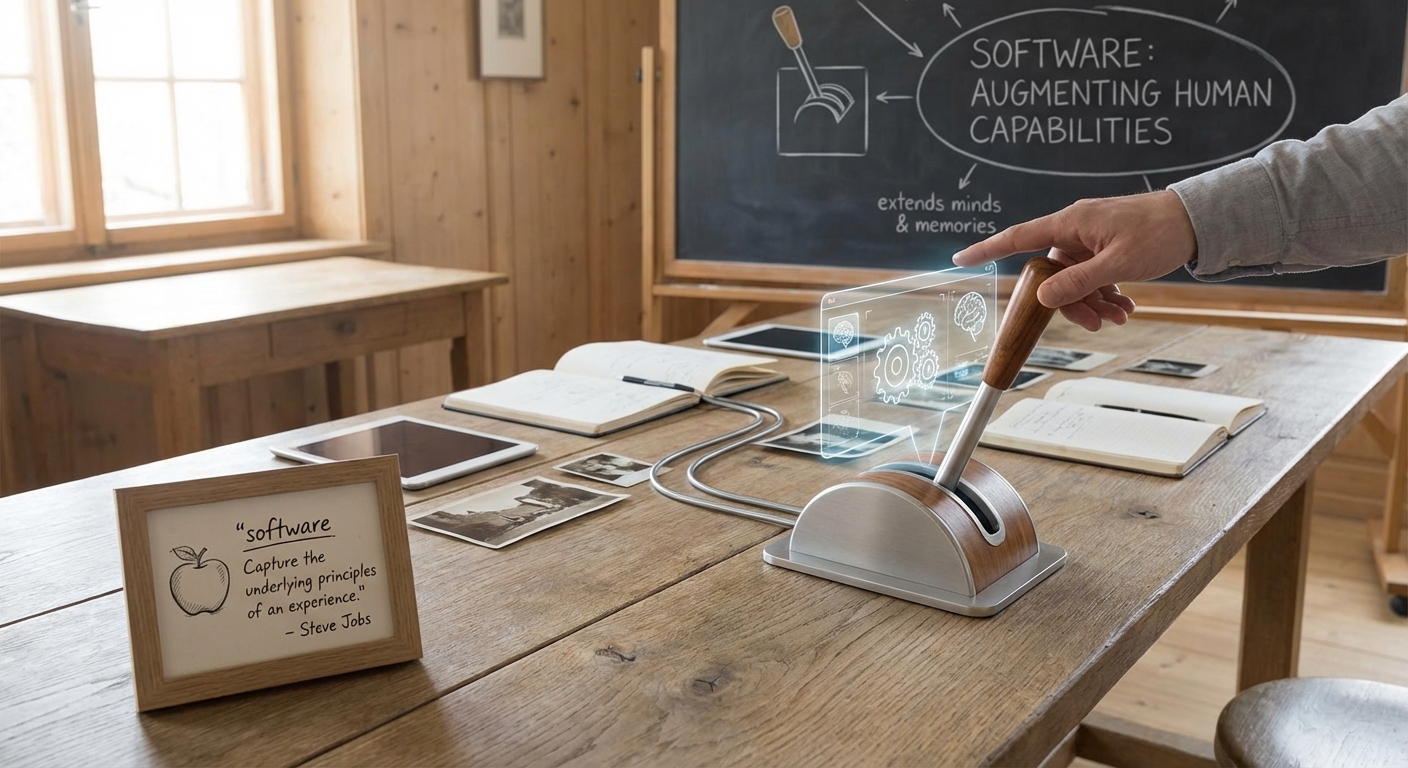
- An abstracted experience, as distinct from experiencing the content itself: Capture the underlying principles of an experience, not the experience itself.
- What
- Augmenting human capabilities (Augmentation: using software to do “what people cannot do, or cannot do well”). The human brain is sophisticated, but biological limits constrain its memory capacity and make large-scale concurrent thinking and action difficult.
- “Thinking”
- Exceptional computing power and parallelism: people tend to think linearly, while software has exponential processing capabilities. At the same time, turning experience into processes and templates (capture the underlying principles) makes “quality” more consistent
- Extending memory without limit: counter the forgetting curve by externalizing knowledge and experiences into memory that can be searched, reused, and shared
- “Acting”
- Collaboration across time and space: extend individual capabilities into networked capabilities (collaboration, synchronization, accumulation)
- Using tools: translate the movement of electrons into the movement of atoms, influencing the environment. The O2O model of the previous era is a typical example.
- “Thinking”
Software should therefore be seen as leverage. It not only “automates” existing habits, but also helps people accomplish tasks that their biological selves alone could not perform. This is the source of software's enormous value.
How Software Works
- Data mapping / representation transform
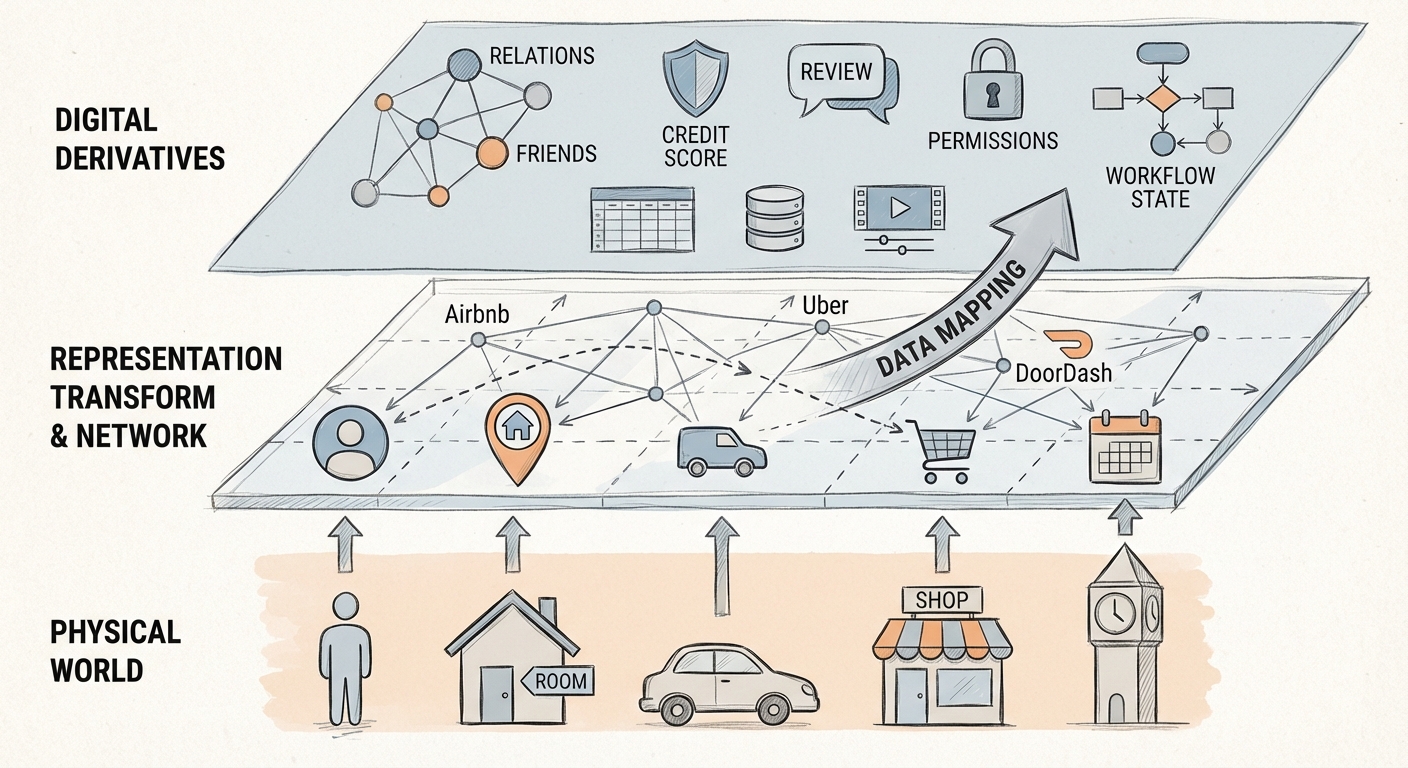
- What software often does: maps one representation to another, performing computation, aggregation, filtering, sorting, and generation along the way
- Once the world is “digitized,” two kinds of representations emerge
- Mappings of the physical world: people, rooms, cars, stores, products, locations, time. For example, Airbnb, Uber, and DoorDash map people, rooms, cars, and stores into cyberspace.
- Representations native to the digital world: relationship graphs (following/friends), credit scores, reviews, permissions and policies, workflow states. Other examples include Excel's calculations and displays, database joins/aggregation, and text/image/video editing
Human-Computer Interaction (HCI): A Compromise and a Way to Manage Costs
Fundamentally, interfaces exist because machines are not yet intelligent enough, making them a necessary “compromise.”
- Why interfaces exist. To turn ideas and needs into actions performed by tools more conveniently, and obtain results. People need to find tools suited to them to achieve their goals and meet their needs. Different people have different needs and habits, and there are many corresponding tools. The best tools fit user needs and align with user habits; these are also the products most likely to retain users. User needs are an abstract concept and require boundaries or scope: they usually arise from “one frequently repeated task” or “a chain of events that often occur together.” These naturally create boundaries.
- Levels of experience in fulfilling intentions and needs
- Ideal: an intention arises -> the need is immediately met (Zero UI).
- Next best: the intention is expressed -> the need is met.
- Reality (HCI): the intention is expressed -> learning/operation/effort -> the need is met.
- When machines cannot yet reliably understand human intent, people can only express it in more explicit, structured ways; interaction therefore becomes a “cost of compromise.”
- Good interaction does not mean “making users do more”; it means minimizing total cost
- Feedback Loop
- Action → change in system state → user understanding → next action (repeat)
- A practical check: the system should continuously answer
- What happened (feedback/visibility)
- Where are we now (state/progress)
- What if something went wrong (recoverability: undo, rollback, paths to correction)
- Levels of experience in fulfilling intentions and needs
- The evolution of interfaces (from the command line to today)
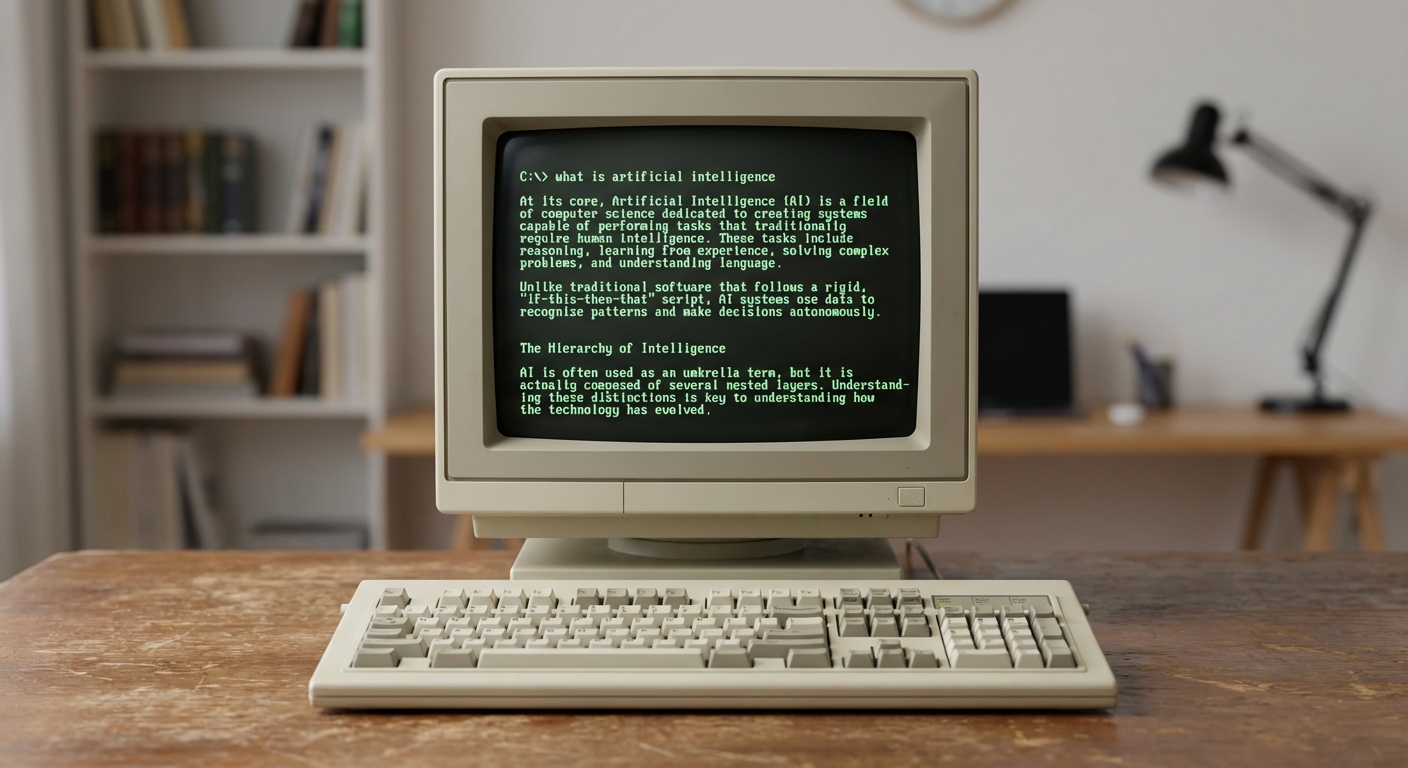
- Early days: DOS/terminal + command line (command line / CLI), where users type commands and the computer returns results or performs actions
- Later: websites, apps, and various GUIs
- My interpretation of this evolution: the less intelligent the machine, the more complex an interface people need to express intentions and constraints
- An interesting comparison: if we brought LLMs into the “command-line” era, the earliest form of human-computer interaction might instead resemble chat (a chatbot); today's chatbots/agents are also bringing it back.
The LLM Era: Interaction Moves from “Control” to “Collaboration”
- A change we must acknowledge: LLM feedback is probabilistic. Much of the feedback in traditional software is deterministic (a save succeeds/fails, a like turns red), while LLM output can vary and even “look right while being wrong.” We should therefore care more about mechanisms for trust than about being “right every time”
- Verifiable: output can be checked (citations/evidence/a path to reproduction)
- Traceable: what the system did and why
- Recoverable: errors can be corrected at low cost (undo/rollback/alternatives)
- Controllable: users control permissions, scope, cost, and risk
- Pull vs Push: from responding passively to serving proactively (agents), provided the boundaries are clear.
- Pull: the user acts and the system responds (most software today)
- Push: the system serves proactively based on predictions (agents). Push should require not only “more intelligence,” but also “more control”
- Authorizable: permissions and goals are granted explicitly
- Bounded: scope (time/objects/amounts/area of impact) is configurable
- Revocable/reversible: disable with one action, undo actions, restore state
- Auditable: users can see logs (what was done, why, and which data was used)
- Able to step down: automatic execution can become a suggestion/draft/pending confirmation at any time
Which human-computer interactions could offer a better experience with large language models, reducing interaction complexity and better fitting the nature of how people interact with computers? I welcome discussion in the comments.
I've recently spent some time thinking about what “software,” something we use every day, really means. From its original role as a tool to today's wave of AI, I want to return to first principles and organize these scattered thoughts.
Software
From the user's perspective, software is primarily a tool and a means for helping people achieve goals and meet their needs.
- Achieving human goals
- Entertainment: games, consuming content
- Education: learning, acquiring skills
- Work: productivity, collaboration
- Daily life: food, clothing, housing, transportation, transactions, health
- Social life: connection, communication
- Human needs (using Maslow as a “high-level framework”)
- Physiological needs, safety, belonging, esteem, self-actualization, cognition, aesthetics, self-transcendence
- Separating “goals” from “needs”
- Goal: the outcome we want to achieve
- Need: what we care about while achieving that goal (efficiency, certainty, a sense of safety, control, competence, belonging…)
- Product opportunities: frequent goals × deeply felt needs × structural shortcomings of existing tools
The Essence of Software
- Human habits, captured and abstracted
- What
- Understanding people is central: software is used by people and serves people
- What software does: for a category of needs within a particular group, it abstracts a set of repeatable rules and processes that fit human habits
- How
- To abstract such rules, we first need to understand human characteristics: traits inherent in our genes + external changes that depend on time together shape how people do things. We build software around these characteristics to meet user needs.
- Some characteristics of how people act are inherent in our genes; the process also depends on sequences of events over time and is shaped by external influences (in other words, cultivating user habits). But “habit cultivation” often simply brings out some of humanity's latent characteristics.
- One way to understand these characteristics is through learning: deepen our understanding of people, recognize patterns in human habits, and predict likely behaviors. This is understanding + prediction. Another way is social experimentation: implement different versions and gather human feedback to uncover characteristics hidden in the real world.
- An abstracted experience, as distinct from experiencing the content itself: Capture the underlying principles of an experience, not the experience itself.
- What
- Augmenting human capabilities (Augmentation: using software to do “what people cannot do, or cannot do well”). The human brain is sophisticated, but biological limits constrain its memory capacity and make large-scale concurrent thinking and action difficult.
- “Thinking”
- Exceptional computing power and parallelism: people tend to think linearly, while software has exponential processing capabilities. At the same time, turning experience into processes and templates (capture the underlying principles) makes “quality” more consistent
- Extending memory without limit: counter the forgetting curve by externalizing knowledge and experiences into memory that can be searched, reused, and shared
- “Acting”
- Collaboration across time and space: extend individual capabilities into networked capabilities (collaboration, synchronization, accumulation)
- Using tools: translate the movement of electrons into the movement of atoms, influencing the environment. The O2O model of the previous era is a typical example.
- “Thinking”
Software should therefore be seen as leverage. It not only “automates” existing habits, but also helps people accomplish tasks that their biological selves alone could not perform. This is the source of software's enormous value.
How Software Works
- Data mapping / representation transform
- What software often does: maps one representation to another, performing computation, aggregation, filtering, sorting, and generation along the way
- Once the world is “digitized,” two kinds of representations emerge
- Mappings of the physical world: people, rooms, cars, stores, products, locations, time. For example, Airbnb, Uber, and DoorDash map people, rooms, cars, and stores into cyberspace.
- Representations native to the digital world: relationship graphs (following/friends), credit scores, reviews, permissions and policies, workflow states. Other examples include Excel's calculations and displays, database joins/aggregation, and text/image/video editing
Human-Computer Interaction (HCI): A Compromise and a Way to Manage Costs
Fundamentally, interfaces exist because machines are not yet intelligent enough, making them a necessary “compromise.”
- Why interfaces exist. To turn ideas and needs into actions performed by tools more conveniently, and obtain results. People need to find tools suited to them to achieve their goals and meet their needs. Different people have different needs and habits, and there are many corresponding tools. The best tools fit user needs and align with user habits; these are also the products most likely to retain users. User needs are an abstract concept and require boundaries or scope: they usually arise from “one frequently repeated task” or “a chain of events that often occur together.” These naturally create boundaries.
- Levels of experience in fulfilling intentions and needs
- Ideal: an intention arises -> the need is immediately met (Zero UI).
- Next best: the intention is expressed -> the need is met.
- Reality (HCI): the intention is expressed -> learning/operation/effort -> the need is met.
- When machines cannot yet reliably understand human intent, people can only express it in more explicit, structured ways; interaction therefore becomes a “cost of compromise.”
- Good interaction does not mean “making users do more”; it means minimizing total cost
- Feedback Loop
- Action → change in system state → user understanding → next action (repeat)
- A practical check: the system should continuously answer
- What happened (feedback/visibility)
- Where are we now (state/progress)
- What if something went wrong (recoverability: undo, rollback, paths to correction)
- Levels of experience in fulfilling intentions and needs
- The evolution of interfaces (from the command line to today)
- Early days: DOS/terminal + command line (command line / CLI), where users type commands and the computer returns results or performs actions
- Later: websites, apps, and various GUIs
- My interpretation of this evolution: the less intelligent the machine, the more complex an interface people need to express intentions and constraints
- An interesting comparison: if we brought LLMs into the “command-line” era, the earliest form of human-computer interaction might instead resemble chat (a chatbot); today's chatbots/agents are also bringing it back.
The LLM Era: Interaction Moves from “Control” to “Collaboration”
- A change we must acknowledge: LLM feedback is probabilistic. Much of the feedback in traditional software is deterministic (a save succeeds/fails, a like turns red), while LLM output can vary and even “look right while being wrong.” We should therefore care more about mechanisms for trust than about being “right every time”
- Verifiable: output can be checked (citations/evidence/a path to reproduction)
- Traceable: what the system did and why
- Recoverable: errors can be corrected at low cost (undo/rollback/alternatives)
- Controllable: users control permissions, scope, cost, and risk
- Pull vs Push: from responding passively to serving proactively (agents), provided the boundaries are clear.
- Pull: the user acts and the system responds (most software today)
- Push: the system serves proactively based on predictions (agents). Push should require not only “more intelligence,” but also “more control”
- Authorizable: permissions and goals are granted explicitly
- Bounded: scope (time/objects/amounts/area of impact) is configurable
- Revocable/reversible: disable with one action, undo actions, restore state
- Auditable: users can see logs (what was done, why, and which data was used)
- Able to step down: automatic execution can become a suggestion/draft/pending confirmation at any time
Which human-computer interactions could offer a better experience with large language models, reducing interaction complexity and better fitting the nature of how people interact with computers? I welcome discussion in the comments.
最近花了一些时间思考“软件”这个我们每天都在用的东西,到底意味着什么。从最初的工具属性,到现在的 AI 浪潮,回到原点,把这些零散的想法整理一下。
软件
软件对于人的作用,从使用角度,其实主要是帮助人类实现某些目的,满足人类的需求的工具和手段。
- 实现人类目的
- 娱乐:游戏、内容消费
- 教育:学习、获得技能
- 工作:生产力、协作
- 生活:衣食住行、交易、健康
- 社交:连接、沟通
- 人类需求(用马斯洛作“上层框架”)
- 生理、安全、社交、尊重、自我实现、认知、审美、自我超越
- 把“目的”和“需求”拆开
- 目的(Goal):想达成的结果
- 需求(Need):达成目的时在意的东西(效率、确定性、安全感、掌控感、胜任感、归属感……)
- 产品机会点:高频目的 × 高痛需求 × 现有工具的结构性不足
软件本质
- 固定下来、抽象出来的人类习惯
- What
- 核心是了解人:软件给人使用、为人服务
- 软件做的是:为某些人群的一类需求,抽象出一套符合人类习惯、可重复执行的规则与流程
- How
- 抽象出这样的规则,首先要理解人类特点:人类基因中固有的特质 + 时间依赖的外部变化,共同塑造出人的做事方式。基于这些特点构建软件,解决用户需求。
- 人类做事特点,一部分是固有在基因中的;过程上又有时间事件序列依赖,同时受外部影响(也就是用户习惯培养)。但“习惯培养”很多时候只是把人类的一些隐形特点激发出来。
- 要了解这样的人类特点,一种方式是通过学习,提高对人的认知,了解人类习惯的 pattern,预测会有的人的行为模式,此为认知+预测。另一种是社会实验,也就是实现不同版本,获得人类的反馈,从而了解真实世界中隐藏的人类特点。
- 抽象出来的体验,与内容体验相对:Capture the underlying principles of an experience, not the experience itself。
- What
- 人类能力的增强(Augmentation:用软件做“人做不到/做不好的事”)。人类大脑虽然精密,但受限于生物机能,记忆容量有限,且难以进行大规模并发思考和行动。
- “思考”
- 超强算力与并行: 人类习惯线性思维,而软件具备指数级处理能力。同时把经验流程化、模板化(capture the underlying principles),让“质量”更稳定
- 记忆的无限延伸:对抗遗忘曲线,把知识/经历外置成可检索、可复用、可共享的记忆
- “行动”
- 跨时空协作:把个体能力扩展为网络化能力(协作、同步、沉淀)
- 使用工具:实现电子迁移到原子迁移的转化,影响环境。上个时代的 O2O 就是典型的例子。
- “思考”
因此,软件应当被视为杠杆。它不仅实现了已有习惯的“自动化”,更协助人类完成了单纯依靠生物本体无法实现的任务。这正是软件产生巨大价值的根源。
软件的运作方式
- Data mapping / representation transform
- 软件经常在做的事:把一种表征(representation)映射成另一种表征,并在这个过程中做计算、聚合、筛选、排序、生成
- 世界被“电子化”之后,出现两类表征
- 物理世界的映射:人、房间、车、店、商品、位置、时间。比如 Airbnb、Uber、DoorDash,将人、房间、车、店映射到网络空间。
- 数字世界自生的表征:关系图谱(关注/好友)、信用分、点评、权限与策略、工作流状态。再比如 Excel 的运算与呈现、数据库的 join/聚合、文字/图片/视频编辑
人机交互(HCI):一种妥协,也是一套成本管理
从根本上看,交互界面的存在,本质上是因为机器尚未达到足够的智能,而不得不采用的一种“妥协”方案。
- 交互界面为什么存在。更便利地将想法、需求转变为工具的执行,以获得结果。人需要找到适合自己的工具,以实现自己的目的和需求。不同的人有不同的需求和习惯,对应的工具很多;最合适的是契合用户需求、符合用户习惯的,也是最容易获得用户粘性的产品。用户需求是个抽象概念,需求需要有边界/范围:通常来自“高频重复的一件事”,或“一系列经常一起出现的事件链”,这些天然会形成边界。
- 意图、需求满足体验层级
- 完美: 意图产生 -> 需求即满足(Zero UI)。
- 次优: 意图表达 -> 需求被满足。
- 现实(HCI): 意图表达 -> 学习/操作/努力 -> 需求被满足。
- 当机器还不能可靠理解人类意图时,人只能用更显式、更结构化的方式表达;交互因此成为“妥协成本”。
- 好的交互不等于“让用户多操作”,而是尽量降低总成本
- 反馈回路(Feedback Loop)
- 行动 → 系统状态变化 → 用户理解 → 下一步行动(循环)
- 一个很实用的检查方式:系统要不断回答
- 发生了什么(反馈/可见性)
- 现在到哪了(状态/进度)
- 如果错了怎么办(可恢复:撤销、回滚、纠错路径)
- 意图、需求满足体验层级
- 界面形态的演化(从命令行到今天)
- 早期:DOS/终端 + 命令行(command line / CLI),用户敲命令,计算机返回结果或执行动作
- 后来:网页、App、各种 GUI
- 我对这条演化链的解释:机器越不智能,人越需要更复杂的界面来表达意图与约束
- 一个有趣的对照:如果把 LLM 接到“命令行”时代,最原始的人机交互可能反而接近聊天(chatbot);今天的 Chatbot/Agent 也在把它重新拉回来。
LLM 时代:交互从“操控(Control)”走向“协作(Collaboration)”
- 一个必须承认的变化:LLM 的反馈是概率性的。传统软件很多反馈是确定的(保存成功/失败、点赞变红),LLM 输出可能波动,甚至“看起来很对但其实不对”。因此,我们应更在意信任机制,而不是“每次都对”
- 可校验:输出能被验证(引用/依据/复现路径)
- 可追溯:系统做了什么、为什么这么做
- 可恢复:错了能低成本纠偏(撤销/回滚/替代方案)
- 可控:权限、范围、成本、风险在用户掌控中
- Pull vs Push:从被动响应到主动服务(Agent),但前提是边界清晰。
- Pull:用户主动操作,系统响应(今天大多数软件)
- Push:系统基于预测主动服务(Agent )。Push 的前提不应只是“更聪明”,也应该“更可控”
- 可授权:明确授予权限与目标
- 可边界:范围(时间/对象/金额/影响面)可配置
- 可撤销/可回滚:一键停用、撤销动作、恢复状态
- 可审计:能看到日志(做了什么、为什么、用到了哪些数据)
- 可降级:自动执行随时降级为建议/草稿/待确认
哪些人机交互在大模型的技术条件下可以有更好的体验,减少交互复杂性,更符合人类与计算机交互的nature? 欢迎评论区讨论。